How to Set Up Email Authentication at FORPSI
What is email authentication
Email authentication is a set of DNS records — SPF, DKIM, and DMARC — that protect your domain from being used to send fraudulent emails. Each record serves a different purpose, and together they form a complete protection. For a detailed overview, see SPF, DKIM, and DMARC — Complete Email Authentication Guide.
You can set up all three records in the FORPSI DNS management. Log in to the FORPSI admin panel and in the left menu under Services administration, click DNS hosting.
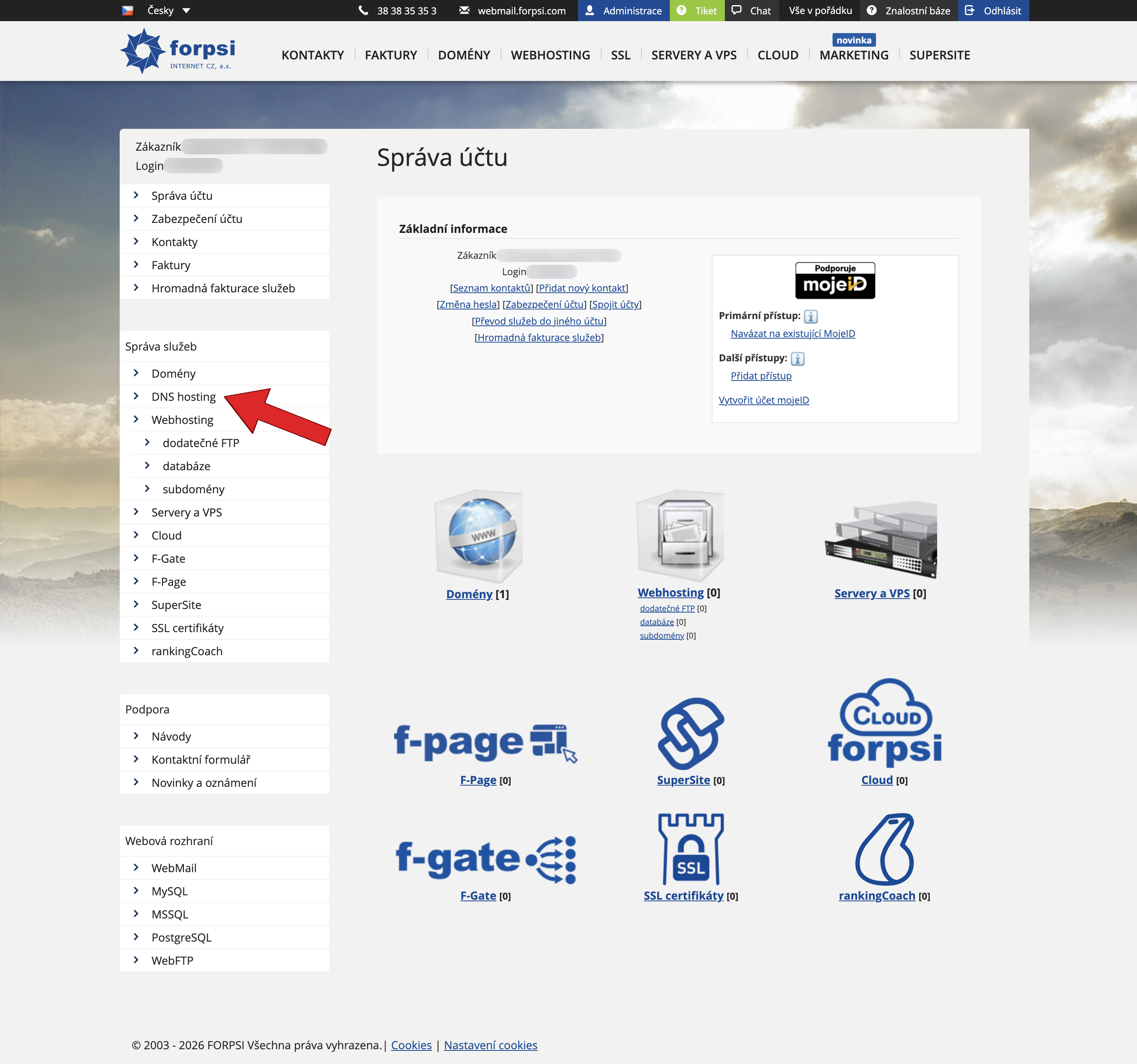 Source: https://admin.forpsi.com/
Click the order number next to your domain, go to DNS hosting service detail, and click Edit DNS records. From there, you will add all three records — all as TXT type. We recommend setting them up in the following order:
| Order | Record | Name | Step-by-step guide |
|---|---|---|---|
| 1. | SPF | (empty — applies to the main domain) | Set up SPF at FORPSI → |
| 2. | DKIM | {selector}._domainkey |
Add DKIM at FORPSI → |
| 3. | DMARC | _dmarc |
Set up DMARC at FORPSI → |
SPF record
An SPF record specifies which servers are allowed to send emails on behalf of your domain. At FORPSI, you add it as a TXT record with an empty name — it applies to the main domain. The record value depends on which services you use to send emails (FORPSI mail hosting, Google Workspace, Microsoft 365, etc.).
Full guide with screenshots: How to Set Up an SPF Record at FORPSI
If you need to figure out what value to enter, read What Is an SPF Record and How to Create an SPF Record.
DKIM record
A DKIM record contains a public key that recipients use to verify that an email was not altered in transit. At FORPSI, you add it as a TXT record with the name {selector}._domainkey. You get the selector and public key from your email service settings (Google Workspace, Microsoft 365, FORPSI Mail, etc.).
Full guide with screenshots: How to Add a DKIM Record to DNS at FORPSI
If you are unsure where to find the selector and key, read What Is DKIM and How Does It Work and How to Set Up DKIM.
DMARC record
A DMARC record tells recipients what to do with emails that fail SPF and DKIM checks — whether to deliver them, send them to spam, or reject them. At FORPSI, you add it as a TXT record with the name _dmarc. We recommend setting it up after SPF and DKIM are in place.
Full guide with screenshots: How to Set Up a DMARC Record at FORPSI
To learn more about DMARC policies and reporting, read What Is DMARC and Why Do You Need It.
Next steps
Once all three records are in place, verify the complete configuration of your domain. Enter your domain in the SPFmonitor domain analysis tool — it checks SPF, DKIM, and DMARC at once and flags any issues.
If you send emails from multiple services, verify the settings for each one. The guide on setting up SPF, DKIM and DMARC at Czech hosting providers can help you find the correct values.


